
This tutorial walks through the process of building a model within the AudienceMaker platform.
Model development within the AudienceMaker leverages machine learning to perform predictive analytics to support the following:
- Identify ideal look-alike targets for the purpose of customer acquisition
- Gain greater understanding of key customer segments
- Engineer attributes unique to your brand to help propel your business forward
IMPORTANT NOTE. When building a model within the AudienceMaker platform for any of the use cases outlined above, it is crucial to identify audiences for modeling with the least amount of bias as possible. The best way to minimize bias is to NOT leverage any third party AudienceMaker attributes in identifying your audience for model training. More information will be shared in the ‘Model Development – Validation and Scoring’ tutorial to identify if unacceptable bias has influenced the development of your model.
Step 1
To begin the model development process within the AudienceMaker platform, navigate to the ‘EXPLORER’ button on the home screen OR the ‘EXPLORER’ shortcut within the AudienceMaker toolbar within AudienceMaker. Identify the saved audience or uploaded file that you’ll be leveraging for model development and add the audience or file as a filter to build your audience:
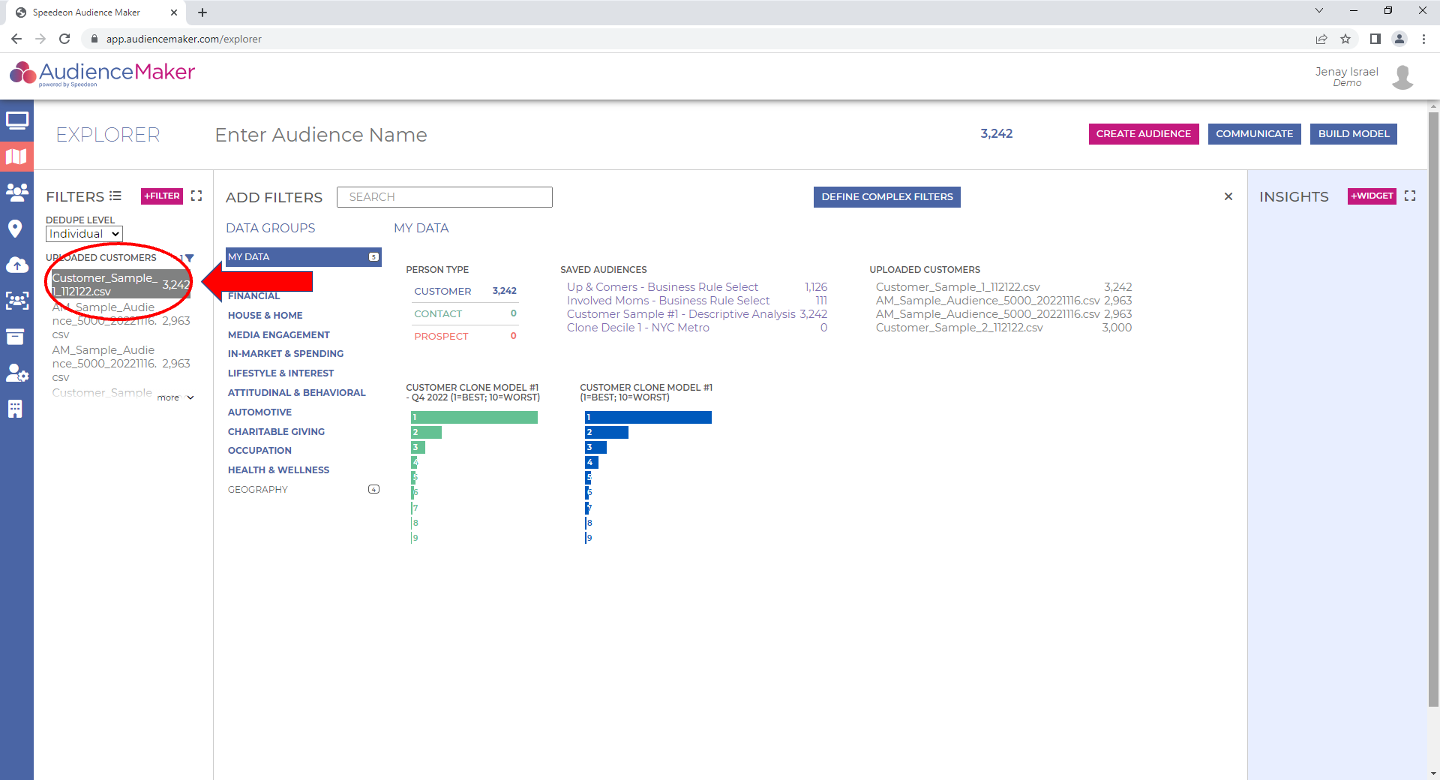
TIP – Once you select your audience, it may be beneficial to view key attributes using the ‘INSIGHTS’ panel to assess the potential for bias.
Step 2
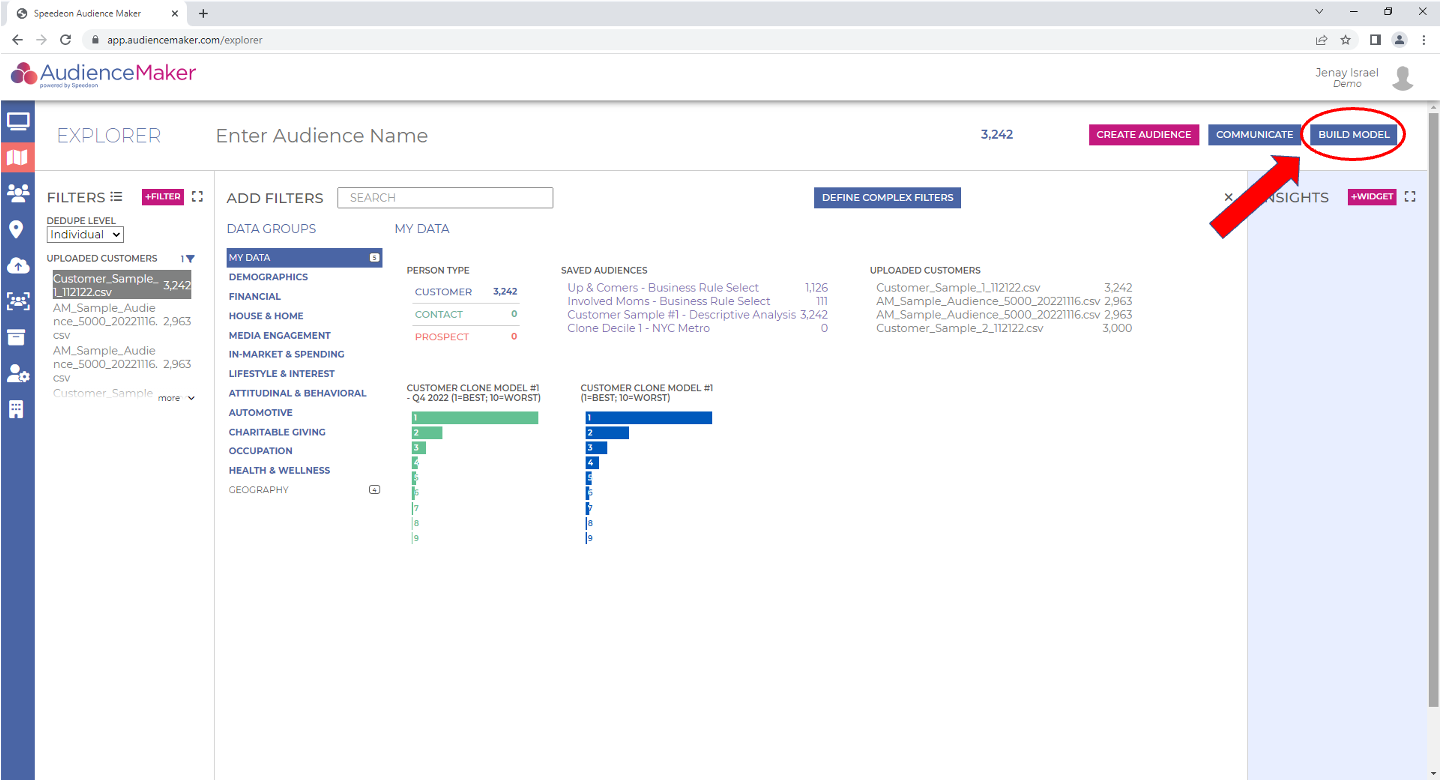
Once you’ve selected your audience for model development, click the blue ‘BUILD MODEL’ button in the upper right-hand corner of the screen:
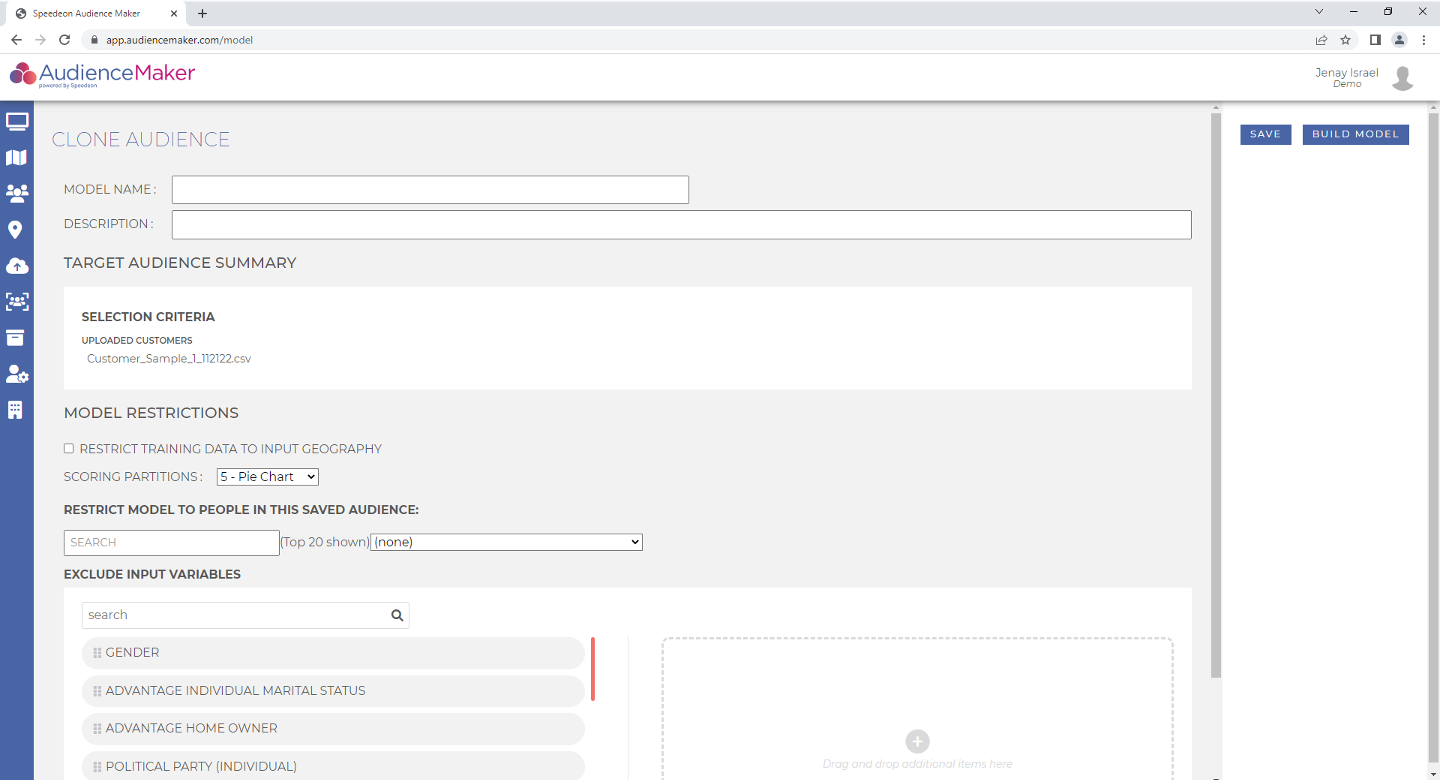
This will take you to the model development requirements page within AudienceMaker:
Step 3
On this page, you’ll finalize the following key requirements for model development:
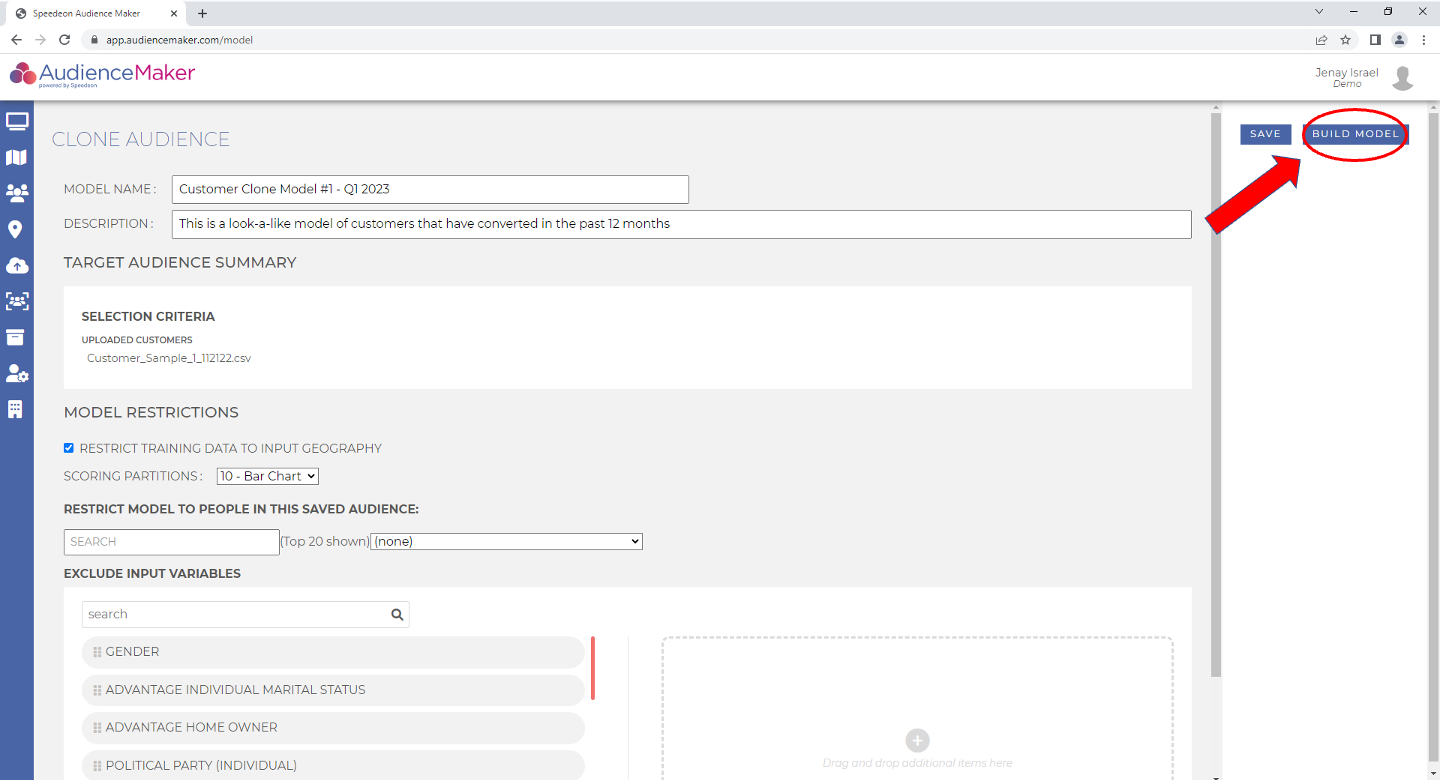
- MODEL NAME – This field captures the name that you’d like to label your model. Since there may be many models built within the AudienceMaker platform, following a standard naming convention and model development timeframe is recommended, for example, “High LTV Clone Model – Q2 2023”.
- DESCRIPTION – This field captures additional details about the model that you’re building and will be retained within ‘MODEL DETAILS’ once your model has been build. An example of a description includes, “Clone Model of High Value Customers ($3500+ LTV)”.
- TARGET AUDIENCE SUMMARY recaps the selection criteria for the model. It is HIGHLY recommended that you review and verify model selection details prior to proceeding with your model build.
- MODEL RESTRICTIONS
- RESTRICT TRAINING DATA TO INPUT GEOGRAPHY – Click this radio button IF your model training set is restricted a region of the United States (vs the entire United States). This will ensure that the model is built using people geographically similar to the TARGET AUDIENCE that you’ve selected for model development.
- SCORING PARTITIONS – This drop-down menu corresponds to the number of scored buckets you’d like the finished model to be grouped. If you don’t know how many scoring partitions you’d like, select ’10 – bar chart’.
- RESTRICT MODEL TO PEOPLE IN THIS SAVED AUDIENCE – IF you’d like to build your model and have it trained from a defined uploaded audience vs general consumers, you may do so with this option. This topic will be covered in greater detail in an ‘Advanced Modeling’ tutorial planned for future release
- EXCLUDE INPUT VARIABLES – IF you are aware that there may be certain third-party attributes that may introduce bias into your model OR if there are specific attributes that you do not want the model to use for training / learning, you may identify them and drag and drop them into the “excluded” attribute box. This may also be relevant for financial services companies where attributes must be deemed compliant for utilization in model development.
Once all requirements have been captured and verified, click the ‘BUILD MODEL’ button in the upper right-hand corner of the screen:
Once the model has been built, you may review and validate the model findings and score. Please reference the AudienceMaker Model Validation and Scoring tutorial for greater detail.
This completes the AudienceMaker Model Development – Building a Model tutorial.